Common 96M Payment Errors and How to Fix Them
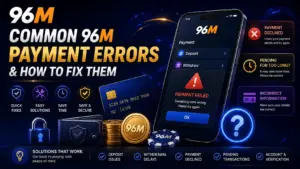
Most failed 96M deposits come down to the bank or e-wallet saying no—whether due to insufficient balance, a daily spending cap, or a mismatched account name. Always check your transaction history before tapping pay a second time, as double-taps cause accidental duplicate payments. If money has already left your wallet but your balance hasn’t updated, start with our withdrawal steps guide.
1. Declines That Happen Before the Balance Moves
If your 96M account balance remains unchanged, the transfer usually failed on its way in. Fix the source issue before retrying once:
- Check available funds: Review your e-wallet or bank balance, accounting for any forgotten holds or pending transactions.
- Enable online switches: Ensure online payments or e-commerce security switches are toggled on inside your banking app.
- Verify spending caps: Check your bank’s daily transaction limit. Reaching the cap means declines will repeat until tomorrow or until you raise the limit with your bank.
- Limit retries: Retry only once on the same rail, or switch once to an alternative rail you own. Never hammer a button five times.
The Name Mismatch Trap
Family DuitNow accounts, shared Touch ‘n Go wallets, or payment cards bearing another person’s name will be flagged immediately. Always deposit and withdraw exclusively using financial rails registered under your own true name. There is no wording that makes a third-party transfer “close enough.”
Handling Channel Outages
Banks and e-wallets undergo scheduled maintenance. If a method fails and your transaction history shows nothing, switch once to another familiar method. Hammering the same button during an outage only stacks errors. To find out which payment channels process fastest when operational, check which rail is usually fastest.
2. Withdrawals That Sit on “Pending”
A “pending” status simply means your request exists in the system. It does not mean it failed, and it does not mean you should submit another request.
- Unfinished verification: Payouts wait on valid identity documents. Upload clear photos of your ID before you urgently need the funds. A blurry crop equals not sending it at all.
- Active bonus wagering: If you claimed a promotion, check your terms and progress bar. Early withdrawal requests are held or refused until wagering is met or the bonus is voided under its terms.
What Information to Send Support
When contacting support regarding a pending issue, provide precise data:
- Your transaction reference code, MYR amount, payment method, and submission time.
- A screenshot of your 96M history status (not just your bank SMS notification).
- Always reach out after the cashier’s stated window has passed, not after thirty seconds. Never open a second withdrawal request “to test” the system.
3. Preventing Duplicate Payments from Weak Signals
Mobile data dropping mid-approval in a mall or LRT tunnel is common. The most dangerous move is assuming your first tap failed.
- Check history first: Wait, then open your transaction history on 96M and inside your banking app. If either shows success, stop immediately. If neither shows anything after a few minutes, one retry on stable Wi-Fi is reasonable.
- Avoid accidental double-deposits: One new attempt is allowed only after verifying the history is empty. Two successful taps mean two deposits—the platform takes what you approved twice. For background checks before moving money, refer to what to verify yourself.
4. Protecting Your Budget from Payment Frustration
Fixing ordinary payment errors should never become an excuse to chase losses. Keep your financial routine disciplined:
- Strict 18+ and separate wallets: Moving money for gaming is for adults 18+ only. Set your entertainment budget in a separate wallet before declines ever appear.
- First-week setup: If your account is brand new, complete your first-week setup while transaction amounts are still small.
- Core rules to live by: Check history first, retry second; use your own name only; complete verification before it becomes urgent; and review bonus terms before requesting a payout.
FAQ: Common 96M Payment Errors
Why was my deposit declined instantly?
Instant declines usually mean your bank or e-wallet refused the transaction due to insufficient funds, daily cap limits, or disabled online payment switches. Check your banking app first, then retry once.
What should I do if a withdrawal stays pending?
Check your platform transaction history. If the status remains pending past the window specified by the cashier, contact support with your reference code, amount, method, and submission time. Do not file a second request.
Can I skip account verification until I win money?
You can delay verification, but your payout will wait until it is completed. Submitting documents early removes future waiting times, though it won’t change your game outcomes.
Is it safe to retry a failed payment immediately?
Only after checking your transaction history to confirm the first attempt did not go through. Immediate retries on dropped connections are the leading cause of accidental double deposits.
Summary
Payment declines are usually caused by balance issues, spending caps, or name mismatches. Pending withdrawals require finished verification, completed wagering, or a support lookup using a reference code. Checking your history before retrying always beats tapping repeatedly and paying twice.